Learn about our latest product features, improvements, and updates
Learn how Microsoft 365 Archive and ProvisionPoint can help organizations reduce SharePoint storage costs by archiving inactive content while maintaining compliance, accessibility, and lifecycle governance.
Compare the different approaches to Microsoft 365 governance and see how ProvisionPoint brings provisioning, permissions, lifecycle management, auditing, and controlled self-service together in one solution.
With SharePoint Server 2016 and 2019 now out of extended support, organizations need a secure, sustainable path for migrating legacy workflows. For businesses that need to remain on-premises, SharePoint Subscription Edition combined with SnapOn Software’s workflow engine offers a modern approach to rebuilding automation while maintaining data sovereignty, security, and control.
This blog compares the most common approaches to Microsoft 365 auditing, from Microsoft’s built-in tools and enterprise security platforms to specialized reporting solutions and DIY methods. It explores the strengths and limitations of each and shows how SnapOn Software’s Audit provides a simpler approach with actionable reports, delegated administration, and visibility directly within Microsoft Teams—helping organizations improve governance, reduce reliance on IT, and better understand access, sharing, and compliance across Microsoft 365.
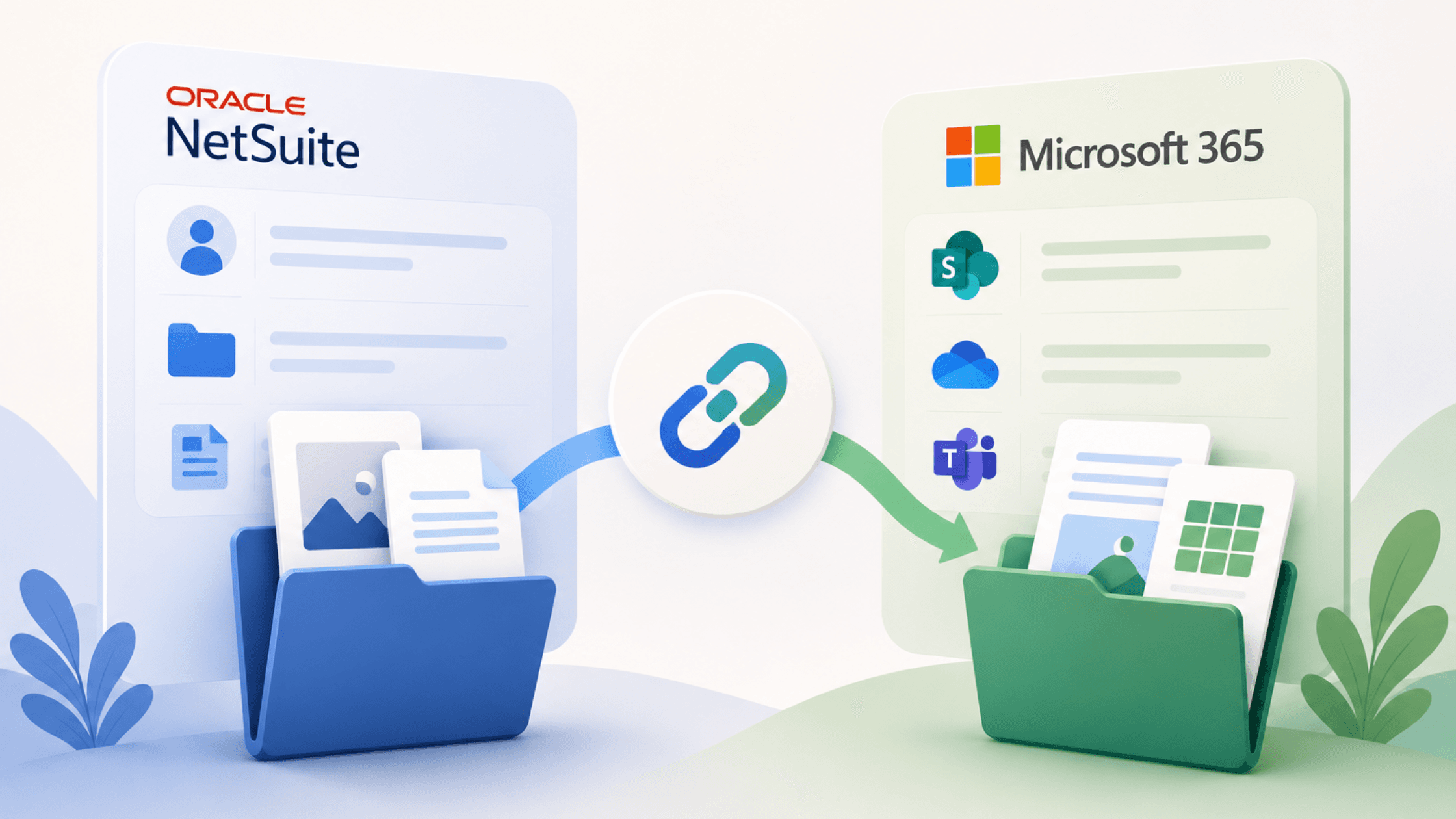
Choosing the right NetSuite document management solution can significantly impact collaboration, storage costs, and productivity. This guide compares four common approaches to integrating NetSuite with Microsoft 365 and explains why SOS Sync offers a purpose-built solution for seamless document synchronization, reduced storage costs, and improved team collaboration.
Many organizations using NetSuite and Microsoft 365 are unknowingly paying for file storage twice while also dealing with inefficient document management processes. SOS Sync eliminates duplicate storage costs by connecting NetSuite directly to SharePoint and OneDrive, allowing users to manage files from within NetSuite while storing them securely in Microsoft 365. The solution helps reduce storage expenses, improve governance and compliance, support larger files, and streamline collaboration without disrupting existing workflows. By combining the strengths of NetSuite and Microsoft 365, SOS Sync provides a simpler, more cost-effective approach to document management.
Effective incident management depends on accurate, structured reporting, but email and basic forms often miss critical details and supporting evidence. The Incident Reporting Template provides a comprehensive solution with structured fields, evidence uploads, geolocation, and integrations with systems like Salesforce and Microsoft 365. This transforms incident submissions into automated workflows, improving response times, visibility, and compliance with frameworks such as ITIL and ISO 27001.
Taming Storage Bloat: The File Size Report's Role in M365 Optimization A single PowerPoint file with 847 versions consuming 12GB of storage. Sound familiar? File bloat is one of the most overlooked causes of M365 storage overruns. Key Points: The Problem: Files with excessive versions, oversized attachments, and forgotten large files consume storage and slow performance The Risk: Storage quota overages, performance degradation, increased costs, backup challenges - The Solution: Audit's File Size Report provides granular visibility: - Files exceeding size thresholds (customizable) - Files with excessive version counts (customizable) - Complete file paths and workspace locations - Version counts and total size including versions - Last modified dates for cleanup prioritization The Action: Implement version limits, archive large files, educate users on storage best practices The Benefit: Optimized storage costs, improved performance, better backup efficiency Technical Deep Dive: Explain how version history bloat happens and why the "total size including versions" metric is critical for true storage optimization.
Market research tools often collect valuable customer insights but leave the data disconnected from CRM systems, forcing teams to manually export and process responses before they can act on them. SOS Intake’s Market Research Form Template solves this by writing responses directly to Microsoft 365 or Salesforce, turning survey data into an immediate business asset. The template captures structured information across three areas—respondent profile, product interests, and current services—while conditional logic shows only relevant questions to improve completion rates. Multilingual support also enables organizations to easily conduct research across global markets. With direct CRM integration, responses can update leads, populate custom fields, and trigger targeted campaigns, helping marketing, product, and sales teams act on insights faster. For IT leaders, the template eliminates custom integrations and middleware, allowing branded, customizable research forms to be deployed across web, email, social media, or events in as little as an hour.
As Microsoft 365 environments grow, they often become fragmented and difficult to manage — with orphaned workspaces, inactive Teams, and uncontrolled storage consumption creating security, compliance, and cost risks. One of the biggest challenges for IT teams is the lack of a single, unified view of tenant health. Instead of switching between multiple admin centres and manually correlating reports, organizations need clear, consolidated insight to prioritize governance efforts effectively. Audit’s new Workspace Summary Report solves this by providing a comprehensive, tenant-wide dashboard of all Teams, SharePoint sites, and OneDrive workspaces in one place. It highlights inactive and orphaned workspaces, displays ownership details, and shows storage usage and last activity dates — making high-risk areas immediately visible. With this centralized view, IT teams can move from reactive clean-up to proactive governance, resolve issues faster, support compliance requirements, and deliver executive-ready reporting backed by real data.
Business IT leaders face a common challenge: collecting structured data from employees, customers, and partners without building custom applications or relying on limited tools like Microsoft Forms. SOS Intake from SnapOn Software addresses this with purpose-built templates that connect directly to Microsoft 365 and Salesforce, offering capabilities that generic form builders simply cannot match. This series explores five industry-specific templates that demonstrate how ready-made solutions can accelerate deployment while maintaining enterprise-grade functionality.
Microsoft will officially retire SharePoint 2013 workflows on April 2, 2026 and when that date hits, they won’t degrade gracefully. They’ll simply stop. For organizations that still rely on these workflows to power approvals, document routing, and notifications, the impact could be immediate and disruptive. SnapOn Software offers a modern alternative designed not just to replace legacy workflows, but to improve on them. Its new visual workflow designer centralizes everything in one intuitive workspace, supports complex logic with true/false paths, and lets teams reuse, customize, import, and export workflows with ease. The platform enables real-world automation like intelligent document approvals, dynamic task assignments, and automated compliance processes. The message is clear: plan now to avoid a last-minute crisis and use this transition as an opportunity to upgrade to smarter, more powerful SharePoint automation.
Transform field data collection with SOS Intake for Microsoft 365. Replace paper forms and manual entry with secure, public intake forms that capture customer feedback, delivery confirmations, training evaluations, and incident reports directly into SharePoint. Eliminate data silos, automate workflows with Power Automate, and unlock real-time insights through Power BI dashboards. With conditional logic, field validation, and AI-ready metadata, your submissions become actionable intelligence. Connect to Microsoft Copilot and Azure ML for predictive analytics that forecast trends, identify patterns, and drive smarter decisions—all within your Microsoft 365 environment.
Digital transformation is rapidly reshaping public sector operations in the Netherlands. From municipal councils to regional authorities, municipalities are increasingly relying on Microsoft 365 to manage documentation, facilitate collaboration, and deliver services to citizens. But with digital convenience comes responsibility, especially when it comes to compliance, privacy, and information governance.
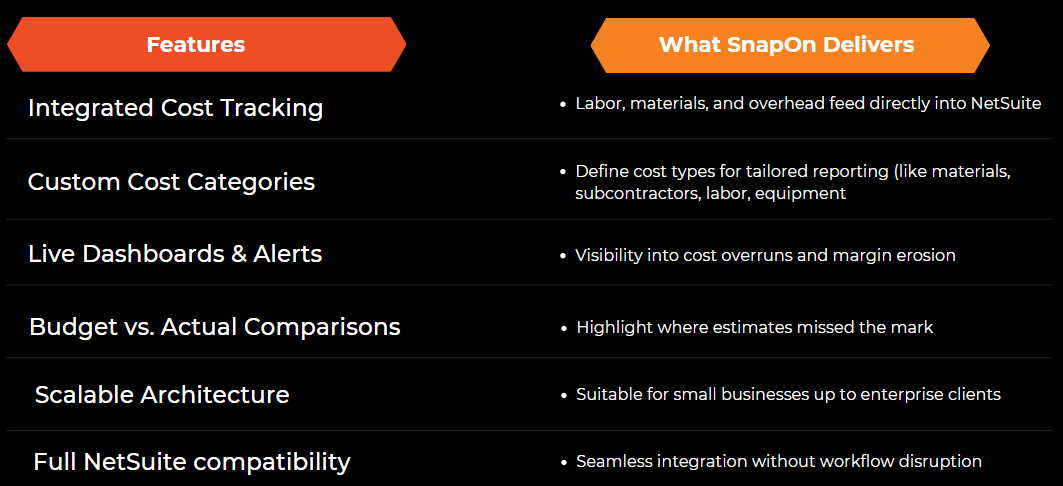
In project-driven sectors like construction, manufacturing, and professional services, imprecise job costing kills profit margins. SnapOn Software’s Job Costing & NetSuite Optimization empowers you with crystal-clear insights into job-level costs - reducing waste and driving smarter decisions: - Accurate cost tracking for labor, materials, and overhead - Real-time dashboards to prevent budget overruns - Deep job profitability analysis to identify top-performing activities
In today’s fast-paced business landscape, efficiency and accuracy are critical. Many organizations face challenges when switching between NetSuite and Microsoft environments, manually updating records, or reconciling data. The ability to sync NetSuite and Microsoft 365 eliminates these inefficiencies, allowing teams to streamline workflows, reduce errors, and focus on driving business growth. If your team constantly switches between these platforms, it’s time for an upgrade.





.png&w=3840&q=75)
.png&w=3840&q=75)
.png&w=3840&q=75)
.png&w=3840&q=75)
.png&w=3840&q=75)

-2.png&w=3840&q=75)
-1.png&w=3840&q=75)