The Microsoft 365 Audit Showdown: How SnapOn Software Stacks Up Against the Competition

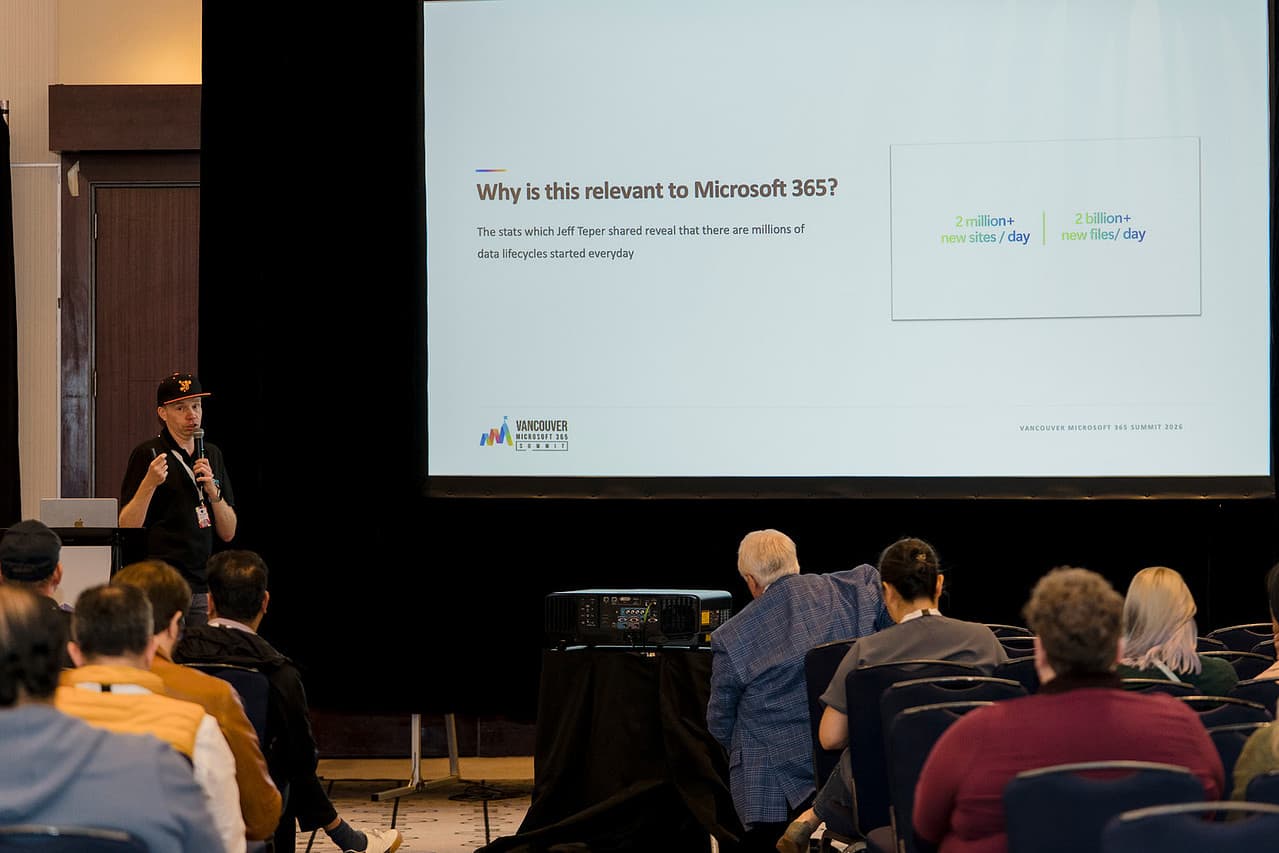
Microsoft 365 generates an enormous amount of information about what is happening across your environment. Users share files, invite guests, change permissions, access Teams, collaborate through SharePoint, and interact with sensitive information every day.
There are however clear risks. Microsoft themselves recognize that “with convenience comes the risk of data breaches and cyberattacks.”
There are several approaches organizations take to auditing Microsoft 365, from relying on built-in Microsoft tools to deploying enterprise security platforms or specialized reporting solutions. Each has advantages, but they also come with different levels of complexity, cost, and administrative effort.
Microsoft
Who it is: The audit and compliance capabilities available within the Microsoft 365 ecosystem, dependent on your license SKU.
For many organizations, this is the natural starting point. The data is already there, the tools are part of Microsoft 365, and administrators can search activity across services such as SharePoint, OneDrive, Exchange, and Microsoft Teams.
What it does well:
- Native to the Microsoft 365 ecosystem
- Detailed user and administrator activity logs
- Broad coverage across Microsoft 365 services
- Advanced search and filtering capabilities
- No additional third-party platform required
Where it falls short:
Having the data and being able to easily use the data are two different things.
Built-in audit capabilities are powerful, but accessing and interpreting the information can require administrator permissions, knowledge of Microsoft compliance tools, and time spent searching through large volumes of activity.
For common questions like Which guest users can access our environment?, What content has been shared externally?, or Where does a specific user have access?, there need to search, filter, export, and interpret audit information before they get a meaningful answer.
Many of the capabilities in Microsoft 365 are centralized in Purview, which means many auditing responsibilities remain centralized within IT.
SnapOn Software advantage:
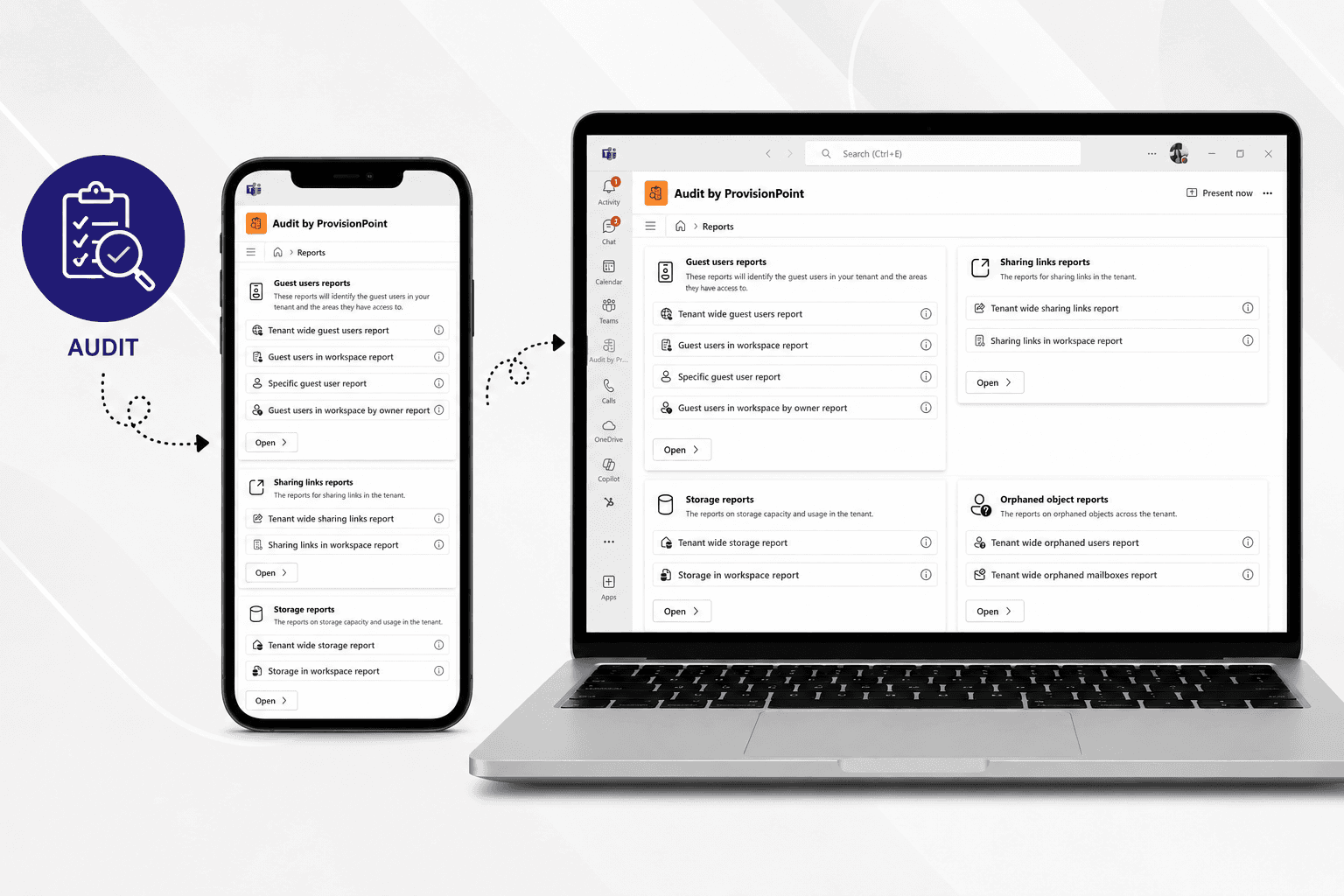
Audit turns complex Microsoft 365 information into pre-built, actionable reports that users can access directly through Microsoft Teams.
Instead of requiring users to navigate Microsoft admin portals or interpret raw audit data, Audit surfaces the information organizations regularly need to understand permissions, guest access, sharing, and potential governance risks.
Through delegated administration, organizations can also give site and team owners greater visibility into their own environments without giving them broad Microsoft 365 administrative permissions.
"The Enterprise Security Platform"
Who it is: Large security, SIEM, and security operations platforms designed to aggregate information from Microsoft 365 alongside data from many other systems.
These solutions are typically built for security operations teams managing threats across an organization's entire technology environment.
What it does well:
- Powerful enterprise-wide security monitoring
- Combines data from multiple platforms
- Advanced threat detection capabilities
- Extensive security analytics
- Designed for large security operations teams
Where it falls short:
More capability isn't always better for every use case.
Enterprise security platforms can require significant implementation, configuration, specialist knowledge, and ongoing administration. They are designed to answer complex security questions across an enterprise. They are not necessarily best suited to help a SharePoint site owner quickly understand who has access to their content.
For organizations primarily looking to improve visibility and accountability across Microsoft 365, a large security platform can introduce significantly more complexity than the problem requires.
SnapOn Software advantage:
Audit focuses specifically on making Microsoft 365 governance and compliance information easier to understand and act on.
Pre-built reports give users immediate visibility into areas such as guest access and external sharing without requiring them to become security analysts or learn a complex enterprise security platform.
That makes Audit useful not only to IT and security teams, but also to the people who own and manage Microsoft 365 workspaces.
Competitor 3: "The Reporting Specialist"
Who it is: Third-party Microsoft 365 reporting platforms designed to provide administrators with greater visibility into users, permissions, activity, and usage.
These tools typically offer large libraries of reports that extend beyond what administrators can easily see through Microsoft's standard interfaces.
What it does well:
- Extensive reporting capabilities
- Detailed Microsoft 365 insights
- Large libraries of pre-built reports
- Useful for administrators managing complex environments
Where it falls short:
Many reporting solutions remain administrator-centric. IT teams may have better reporting capabilities, but business users and workspace owners still depend on IT whenever they need information about permissions, external sharing, or guest access.
A centralizing all governance within IT doesn't solve the underlying governance problem.
SnapOn Software advantage:
Audit is designed to make governance more distributed.
Rather than keeping compliance visibility exclusively within IT, Audit can put relevant information into the hands of site and team owners through Microsoft Teams.
This delegated model allows the people closest to the content to take greater responsibility for reviewing access and identifying potential issues, while IT maintains overall governance.
The result is less dependency on IT and greater accountability throughout the organization.
The DIY Approach
Who it is: Organizations building their own audit and reporting processes using scripts, APIs, spreadsheets, PowerShell, Power BI, or other internal tools.
For organizations with strong Microsoft 365 technical teams, building custom reports can initially seem like an inexpensive and flexible option.
What it does well:
- Highly customizable
- Can address organization-specific requirements
- Uses tools and skills the organization may already have
- No need to purchase another reporting product
Where it falls short:
The initial build is only part of the cost.
Custom reporting solutions need to be developed, tested, documented, maintained, and updated as Microsoft 365 changes. If the person who built the solution leaves, organizations can also be left with business-critical reporting processes that few people understand.
There's also the ongoing challenge of creating a usable experience for non-technical users. A PowerShell script may answer an administrator's question, but it doesn't necessarily give a site owner an easy way to monitor their own workspace.
As requirements grow, a "simple" internal reporting project can become another application IT needs to support.
SnapOn Software advantage:
Audit provides ready-to-use Microsoft 365 reporting without requiring organizations to build and maintain their own auditing solution.
Instead of dedicating technical resources to scripts, APIs, dashboards, and ongoing maintenance, organizations can deploy purpose-built reports designed around common Microsoft 365 governance challenges.
And because Audit is accessible through Microsoft Teams, users can work within an environment they already know.
What Makes SOS Audit Different?
Traditional audit tools tend to put visibility in the hands of administrators. Audit from SnapOn Software is designed to extend that visibility across the organization.
With Audit, organizations can:
- Understand guest access — see guest users and identify which sites and teams they can access.
- Review external sharing — understand content shared from SharePoint, Teams, and OneDrive, including sharing links, recipients, and expiration policies.
- Delegate responsibility — enable site and team owners to take greater responsibility for reviewing their own environments.
- Reduce reliance on IT — answer common access and compliance questions without submitting another IT request.
- Work directly in Microsoft Teams — make governance information available within an application employees already use.
- Turn data into actionable insights — use purpose-built reports instead of sorting through raw audit information.
The Bottom Line
Microsoft 365 already contains a huge amount of audit and activity information. The challenge is making that information accessible enough to actually improve governance.
Built-in Microsoft tools provide powerful underlying data. Enterprise security platforms provide sophisticated security capabilities. Reporting specialists provide administrators with extensive dashboards. DIY solutions provide flexibility.
Organizations are frequently faced with the problem that governance remains dependent on a relatively small group of technical users. According to Gartner, the decentralized, self-service nature of cloud computing has already shifted governance responsibility away from IT and onto the business units that use the data.
Audit from SnapOn Software takes a different approach. By bringing actionable Microsoft 365 reporting into Microsoft Teams and enabling delegated administration, Audit helps move governance from something IT manages for the organization to something the organization can actively participate in.
That means greater visibility, less administrative burden, and a clearer understanding of who has access to what across Microsoft 365.
Ready to make Microsoft 365 auditing easier?
See how Audit from SnapOn Software can give your organization greater visibility into access, sharing, and compliance — without adding more complexity to your Microsoft 365 environment.
About the Author
Peter Baddeley
Director of GTM Sales & Client Solutions