Understanding Microsoft 365 Audit Log Features and Benefits

In today's digital landscape, data security and compliance have become paramount concerns for organisations of all sizes, and those using Microsoft 365 are no exception when it comes to needing robust tools to monitor activities and safeguard their environments. The Microsoft 365 Audit Log addresses this need directly, giving organisations the means to track user and admin actions across Microsoft 365 services while maintaining a detailed audit trail essential for both compliance and security. Understanding its features and benefits is therefore crucial for IT professionals, as it enables them to detect unauthorised access, identify potential security breaches, and maintain transparency and accountability across their organisation.
The Microsoft 365 Audit Log is a comprehensive tracking tool that records activities across a wide range of Microsoft 365 services, including Exchange Online, SharePoint, OneDrive, and Microsoft Teams. Its core purpose is to monitor and document user interactions, capturing both routine operations and administrative actions within the Microsoft 365 environment in order to ensure a secure and transparent operating system. By consolidating these activities into a single view, the Audit Log gives organisations meaningful insight into user behaviour and system functionality, supporting effective compliance management through capabilities such as tracking changes to user permissions, recording file and folder interactions, and monitoring sign-ins and access attempts.
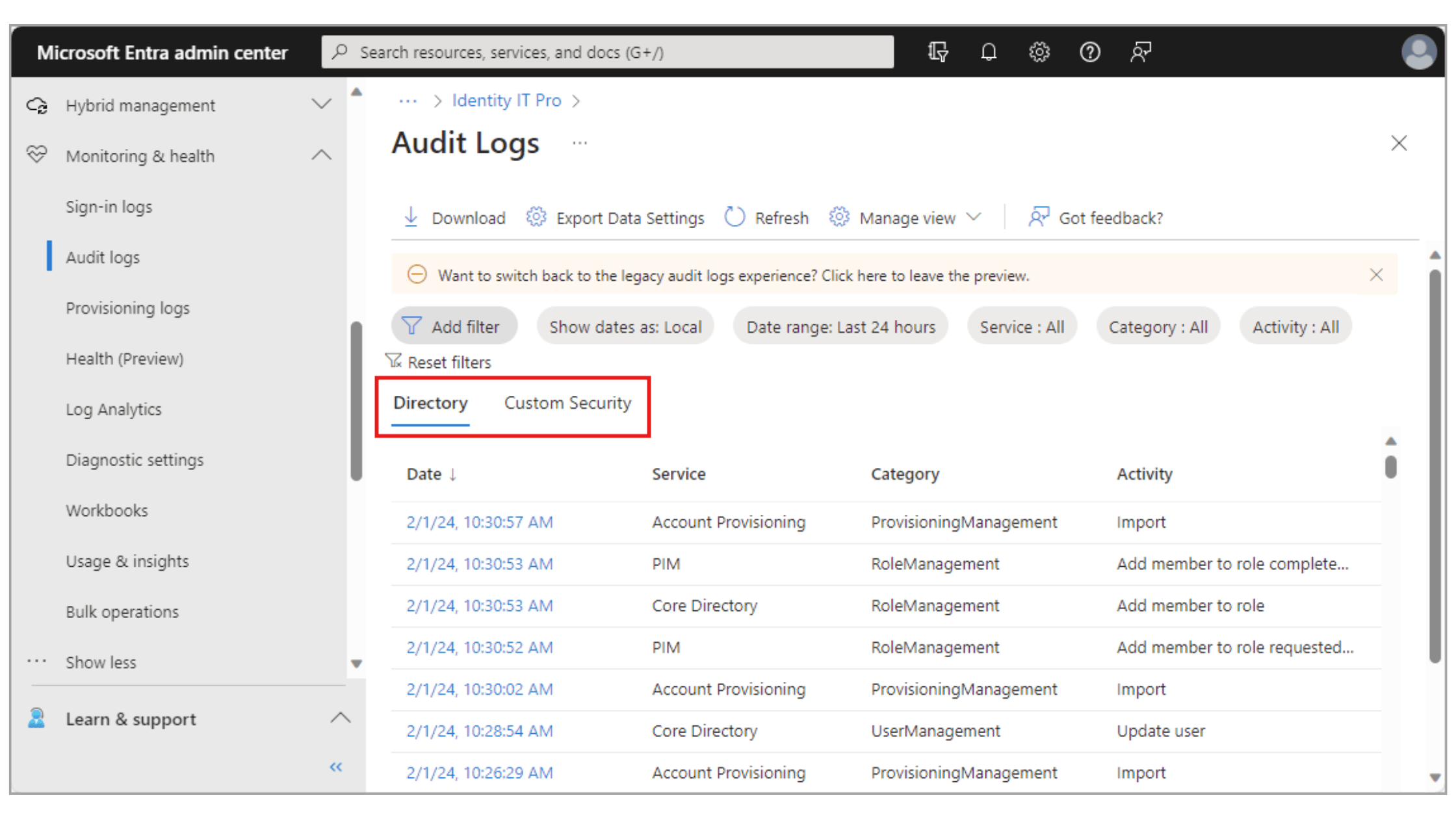
The Audit Log plays a central role in an organisation's security protocols by helping to identify potential threats, making it a key consideration for any team managing a Microsoft 365 environment. Its features are designed to strengthen security and compliance while simplifying how administrators monitor activity across services.
- Detailed activity tracking - monitors both user and admin actions across the environment, helping teams identify unauthorised access or security breaches quickly.
- Advanced search and filtering - allows administrators to filter logs by date, activity type, or specific user, making investigations and compliance reporting straightforward.
- Configurable alerts - notifies administrators of suspicious activity as it occurs, supporting prompt responses and a more proactive approach to monitoring.
- Comprehensive service coverage - tracks activity across all Microsoft 365 services, ensuring a complete and consistent audit trail.
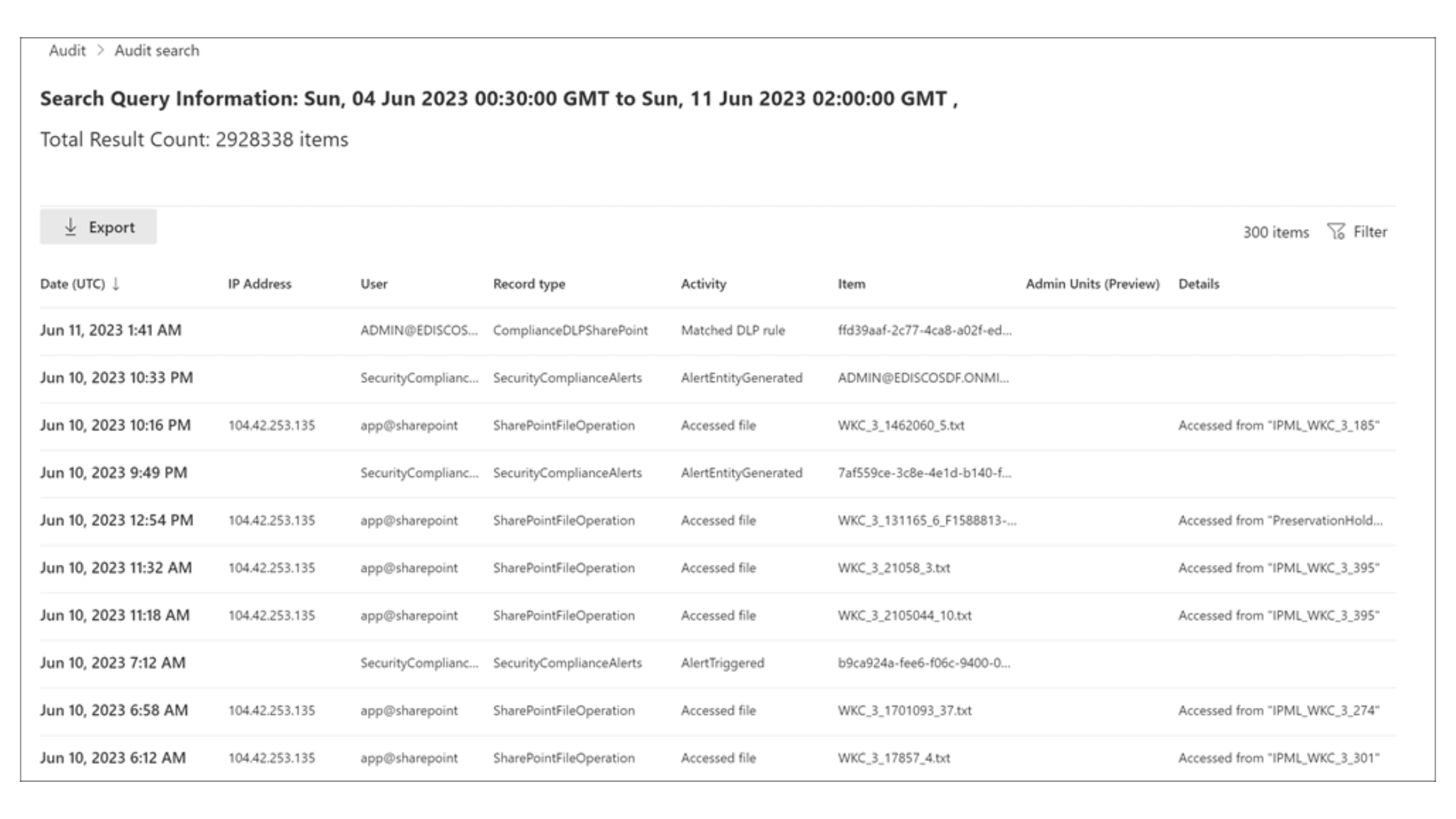
Enabling the Audit Log begins in the Microsoft 365 Compliance Centre, which serves as a centralised hub for managing your organisation's compliance needs, where administrators can navigate to the Audit section to get started. Access requires appropriate permissions, so ensuring admin roles are correctly assigned is an important step before attempting to retrieve any data, as users without the necessary roles will find their access restricted. Once enabled, searching the Audit Log is relatively straightforward, with the ability to filter by user activity, date range, or specific operations making it easy to pinpoint relevant activities without having to sift through large volumes of data manually.
To enable the Microsoft 365 Audit Log:
- Navigate to the Microsoft 365 Compliance Centre.
- Go to the Audit section.
- Assign the appropriate permissions and roles as necessary.
Regularly reviewing audit logs is a practical step towards maintaining a secure environment, as it allows teams to quickly identify unusual activity and ensure business operations remain compliant.
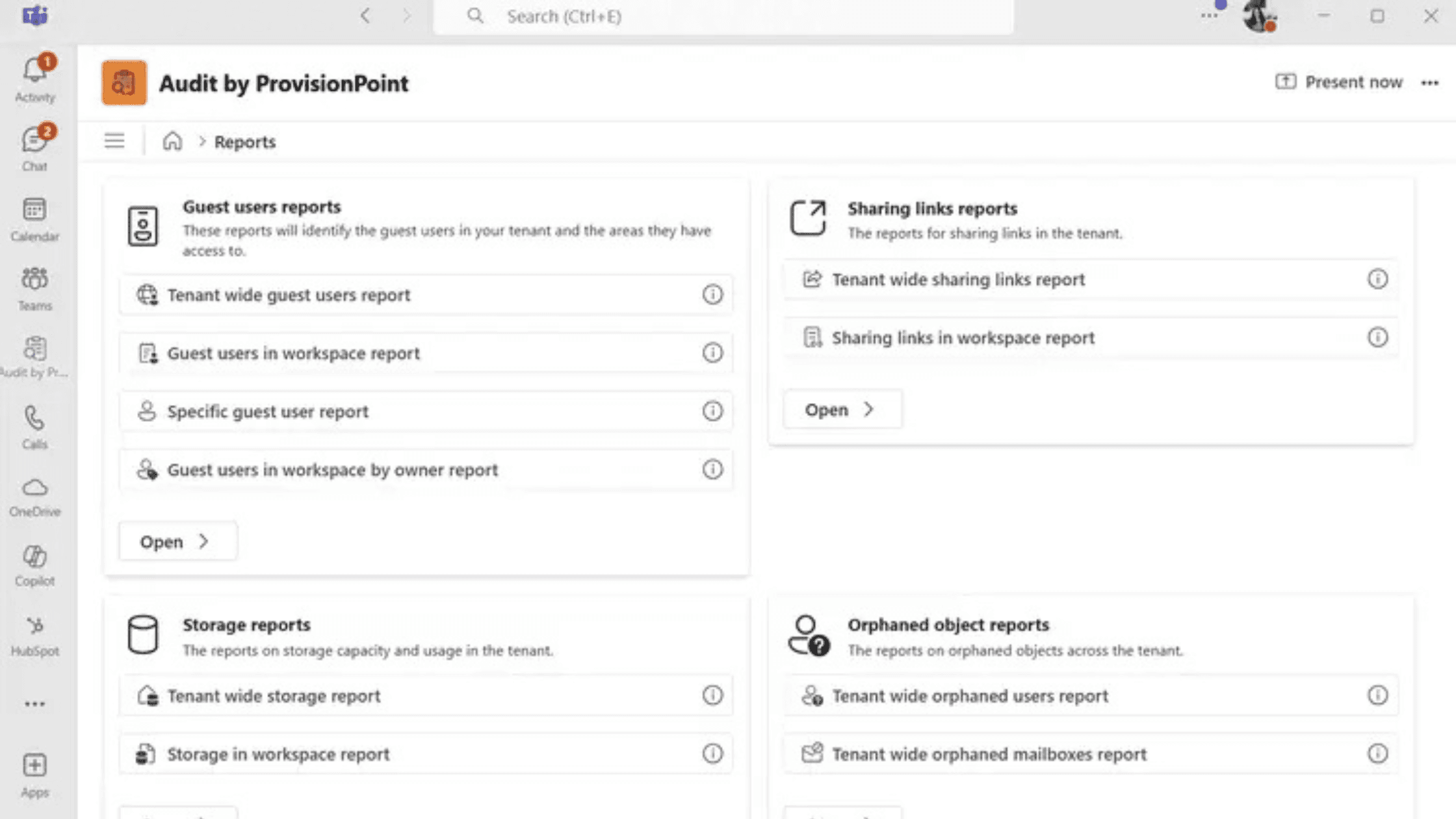
While the Microsoft 365 Audit Log provides valuable data, accessing and interpreting it typically requires administrator-level access and familiarity with multiple admin centres. Audit from SnapOn Software removes these barriers by bringing audit reporting directly into Microsoft Teams, making compliance and security visibility accessible to a much wider range of users without the need for specialist technical knowledge.
Rather than navigating multiple admin portals, users can access a range of pre-built reports covering the areas that matter most. The Guest User Report provides a complete picture of guest access across SharePoint and Teams, identifying exactly which sites and teams each guest can reach, while the Sharing Links Report makes it easy to see all content shared from SharePoint, Teams, or OneDrive, including link types, recipients, and expiration policies. Organisations using Audit have seen a 90% reduction in time spent identifying external sharing risks and a 75% decrease in IT tickets related to permission reviews.
Through its delegated administration model, Audit also enables site and team owners to manage their own compliance responsibilities directly, reducing the burden on IT teams and making governance a shared, organisation-wide practice rather than a centralised administrative task.
The Microsoft 365 Audit Log is a fundamental component of any organisation's security and compliance strategy, and its value is best realised when log reviews are integrated into day-to-day security practices rather than treated as a one-time setup. For teams looking to make that process more manageable, Audit from SnapOn Software surfaces the most relevant insights directly in Microsoft Teams, helping to embed compliance across the wider organisation without the overhead of navigating administrator port
About the Author
Peter Baddeley