Before the Breach: Securing Data at Every Stage of Its Lifecycle
Every day, organizations create, share and re-use information across documents, forms, emails, Microsoft Teams conversations, business systems and external portals.
Each of these interactions becomes part of a data lifecycle, yet that lifecycle is often left undefined. Files are copied, access expands, permissions change, and outdated information remains stored long after its purpose is clear.
Simply, the data lifecycle exists whether an organization actively manages it or not. The real question is whether it creates business value, or silently increases security, compliance and operational risk.
Most Organizations Lack Visibility Into Their Data
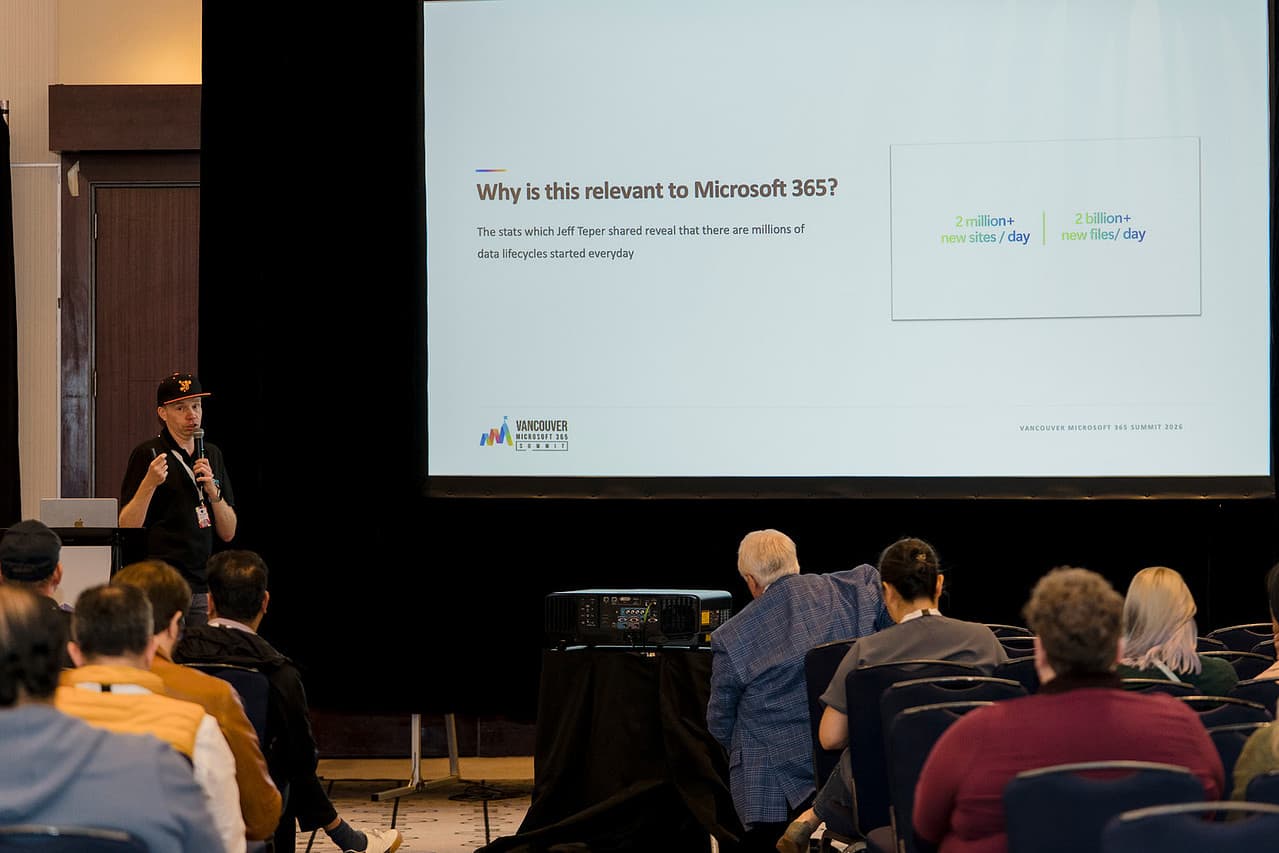
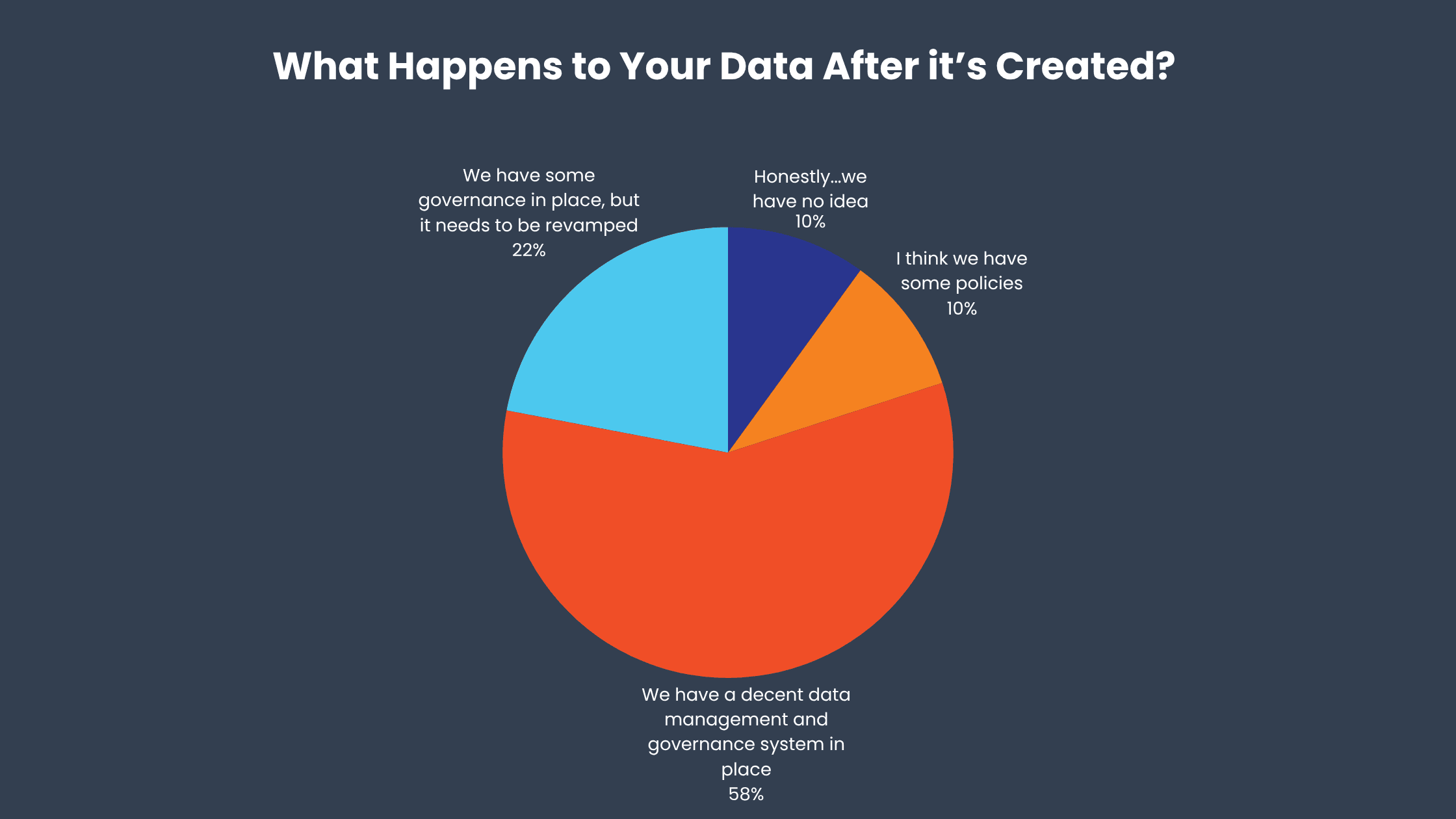
During the Vancouver Microsoft 365 Summit, attendees at our session were asked: What happens to your data after it is created?
The results revealed a significant governance gap:
- 10% said they honestly had no idea.
- 10% believed they had some policies in place.
- 58% had governance in place but said it needed to be revamped.
- 22% had a decent data management and governance system.
- 0% said they knew exactly where their data went.
Overall, 78% of respondents lacked confidence that their data was being effectively governed after creation. Even among organizations with established processes, most recognized that their current approach needed improvement.
These results reflect a common challenge. Organizations are generating and sharing more information than ever, but few have complete visibility into where it moves, who can access it, how long it is retained or when it is deleted.
Why Data Lifecycle Governance Matters
A data breach is not limited to an external attacker stealing information. It can also happen when personal data is sent to the wrong person, confidential files are shared with a competitor or sensitive content becomes publicly accessible.
The rapidly usage of AI in organizations, makes these risks more urgent. Information that was technically accessible but difficult to locate can now be discovered, summarized and reused in seconds. AI does not create weak permissions, excessive access or poor retention practices, but it can expose their consequences much faster.
Before introducing Microsoft 365 Copilot or other AI agents, organizations need to understand:
- What information they have
- Where it is stored
- Who can access it
- Why it is being retained
- When it should be deleted
This requires governance across the entire data lifecycle.
What a Data Breach Can Look Like
The consequences of a breach can extend beyond exposed records. A breach can interrupt operations, affect supply chains, damage public trust and create significant financial losses.
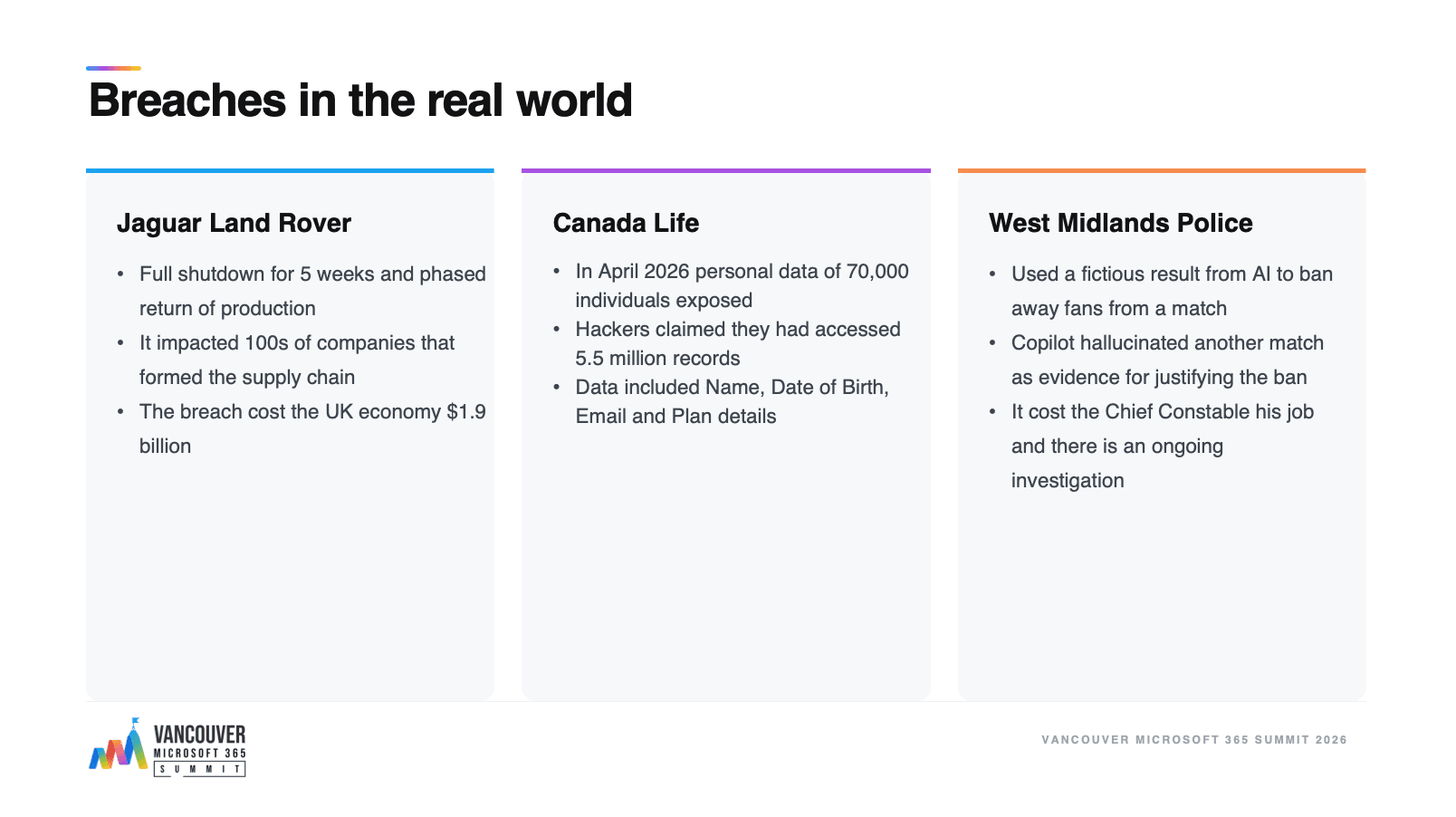
Recent incidents demonstrate how different these risks can look in practice.
Jaguar Land Rover
A 2025 cyberattack forced Jaguar Land Rover to suspend production across its UK factories for five weeks before beginning a phased restart. The disruption affected its wider supply chain and was estimated to have cost the UK economy approximately £1.9 billion. Jaguar Land Rover also reported £196 million in direct costs related to the attack and recovery. Reuters, The Guardian
Canada Life
In April 2026, Canada Life disclosed that an unauthorized party had accessed certain applications through an employee account. The incident exposed personal information belonging to as many as 70,000 people. A threat actor later claimed to possess 5.5 million records, although that figure was not confirmed as the number of affected individuals. Canada Life, Insurance Business Canada
West Midlands Police
West Midlands Police used Microsoft Copilot while preparing intelligence related to a decision to ban Maccabi Tel Aviv supporters from attending a match against Aston Villa. The AI generated details about a match that had never taken place, and the false information was included without being adequately verified.
The incident led to investigations, a public apology and the retirement of the force’s Chief Constable. It demonstrates that inappropriate or unverified use of AI can create a serious governance failure even when no data is stolen. UK Parliament, The Guardian
These scenarios show that the impact of poor governance can range from exposed personal information to operational shutdowns and flawed high-stakes decisions. Effective governance must address both traditional security threats and the ways information is accessed, interpreted and reused by AI.
The Four Stages of the Data Lifecycle
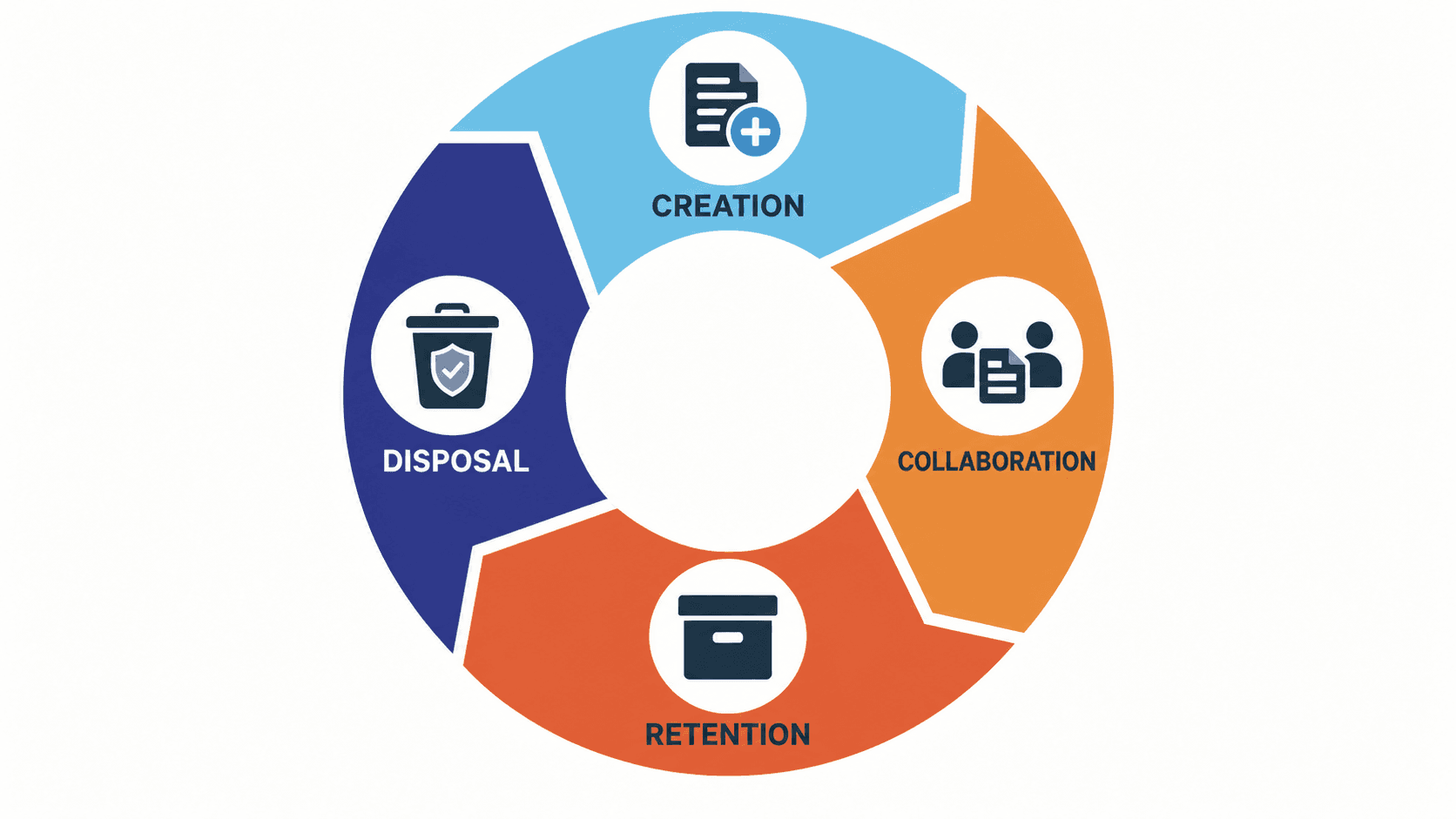
A practical data lifecycle model includes four stages: creation, collaboration, retention and disposal. Each stage introduces different risks and requires different controls.
1. Creation
Information enters Microsoft 365 through documents, forms, emails, chats, uploads and connected business applications.
Without clear rules, sensitive information may be created without adequate protection. Duplicate versions can spread quickly, and employees may use unapproved tools when existing processes are difficult to follow.
Governance should begin when information is created. Organizations should define why it is being collected, where it belongs, how it should be classified and what protections it requires.
2. Collaboration
Collaboration allows information to create value, but it also increases the number of people and systems that can access it.
A document may be shared through Teams, SharePoint, OneDrive, email or an external guest account. Over time, permissions can drift as employees change roles, projects end and external collaborators no longer require access.
Regular access and sharing reviews can help organizations confirm who has access and whether there is still a legitimate reason for that access. Collaboration does not mean everyone needs access to everything.
3. Retention
Many organizations retain information indefinitely because keeping it feels safer than deleting it. This “just in case” approach creates a growing collection of outdated, duplicated and poorly governed content.
In effective retention rules can also increase the amount of information exposed during a security incident, legal investigation or inappropriate AI search.
Retention decisions should be based on documented business, legal and regulatory requirements. Different types of information should have appropriate retention periods rather than being kept under one universal rule.
4. Disposal
Deleting information is not simply a storage clean-up exercise. It is an important governance decision. Keeping information beyond its required lifespan increases risk. However, deleting it too early can also create legal, regulatory and operational consequences.
Organizations need clear disposal policies, assigned ownership and an audit trail showing what was deleted, when it was deleted and which policy authorized the action.
Finding the Right Governance Model
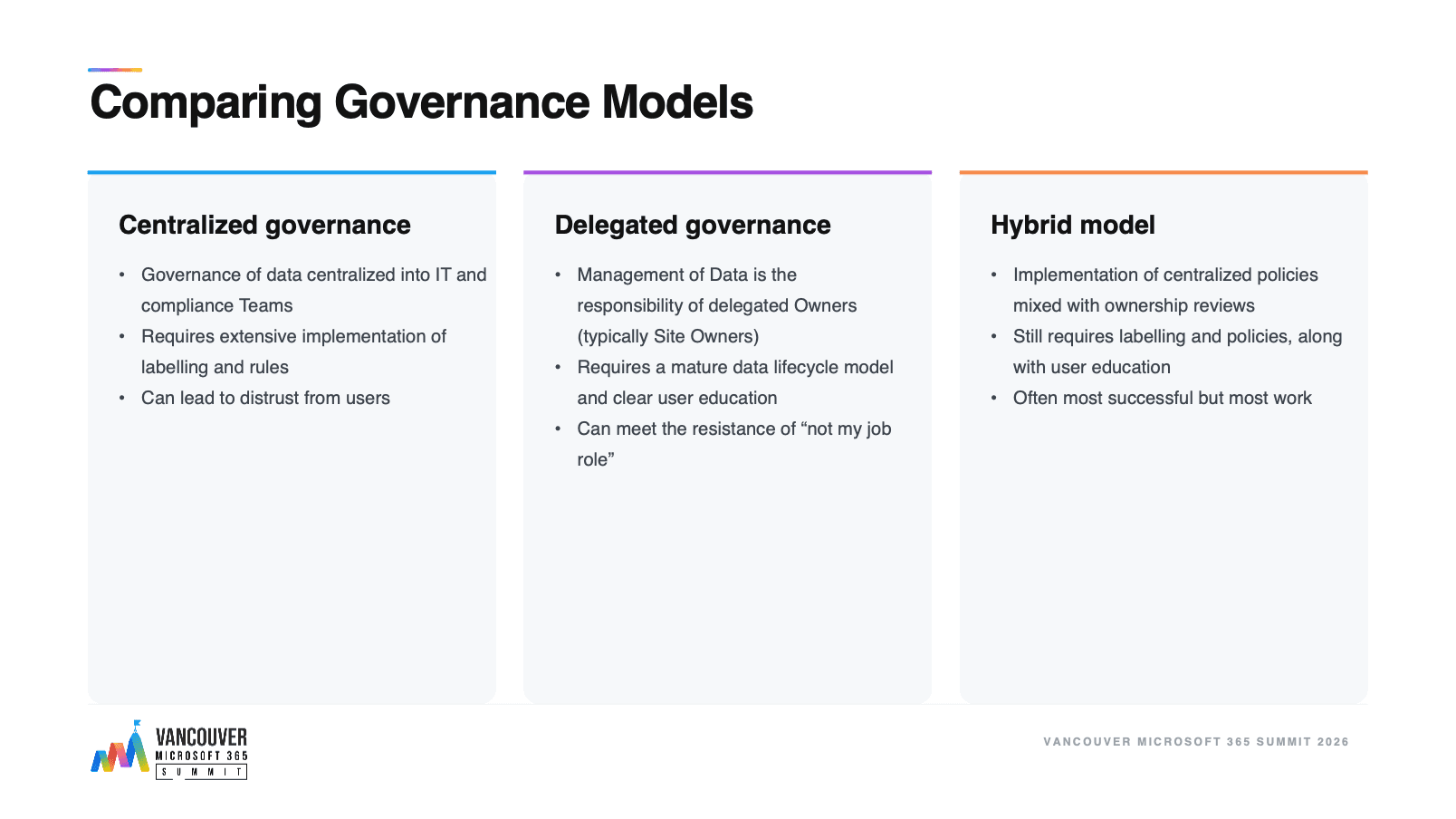
Data governance can be centralized within IT and compliance teams, delegated to business owners or managed through a combination of both.
For many organizations, a hybrid model is the most practical. Central teams establish classifications, policies and technical controls, while business owners review access and determine whether content and workspaces are still required.
Regardless of the model, responsibilities must be clearly defined. Technology can help enforce governance decisions, but it cannot determine what information matters to the business or why it should be retained.
How Microsoft 365 Can Help
Microsoft 365 provides several capabilities that can support data lifecycle governance:
- Sensitivity labels can classify and protect confidential information.
- Retention policies and labels can preserve required content and delete information when it reaches the end of its lifecycle.
- Microsoft 365 Archive can help manage inactive SharePoint sites.
- Audit and administrative reports can improve visibility into access, sharing and user activity.
- Workspace and access reviews can help identify outdated permissions and unnecessary guest access.
These tools are most effective when they support clearly defined policies. Applying technology without first understanding the lifecycle can add complexity without addressing the underlying risk.
Start With the Areas of Highest Risk
Organizations do not need to govern every file and workspace at once.
A practical starting point is to identify a small number of high-risk information types and understand how they move through the organization. Determine where the information is created, who can access it, how long it should be retained and what should happen when it is no longer needed.
From there, organizations can assign owners, introduce appropriate Microsoft 365 controls and expand the model over time.
You cannot govern a data lifecycle you have not defined. By managing information across creation, collaboration, retention and disposal, organizations can reduce risk while preparing their Microsoft 365 environments for AI.
About the Author
Peter Baddeley