Audit
Monitor and Audit Your Microsoft 365 Environment. Comprehensive activity monitoring for compliance and security
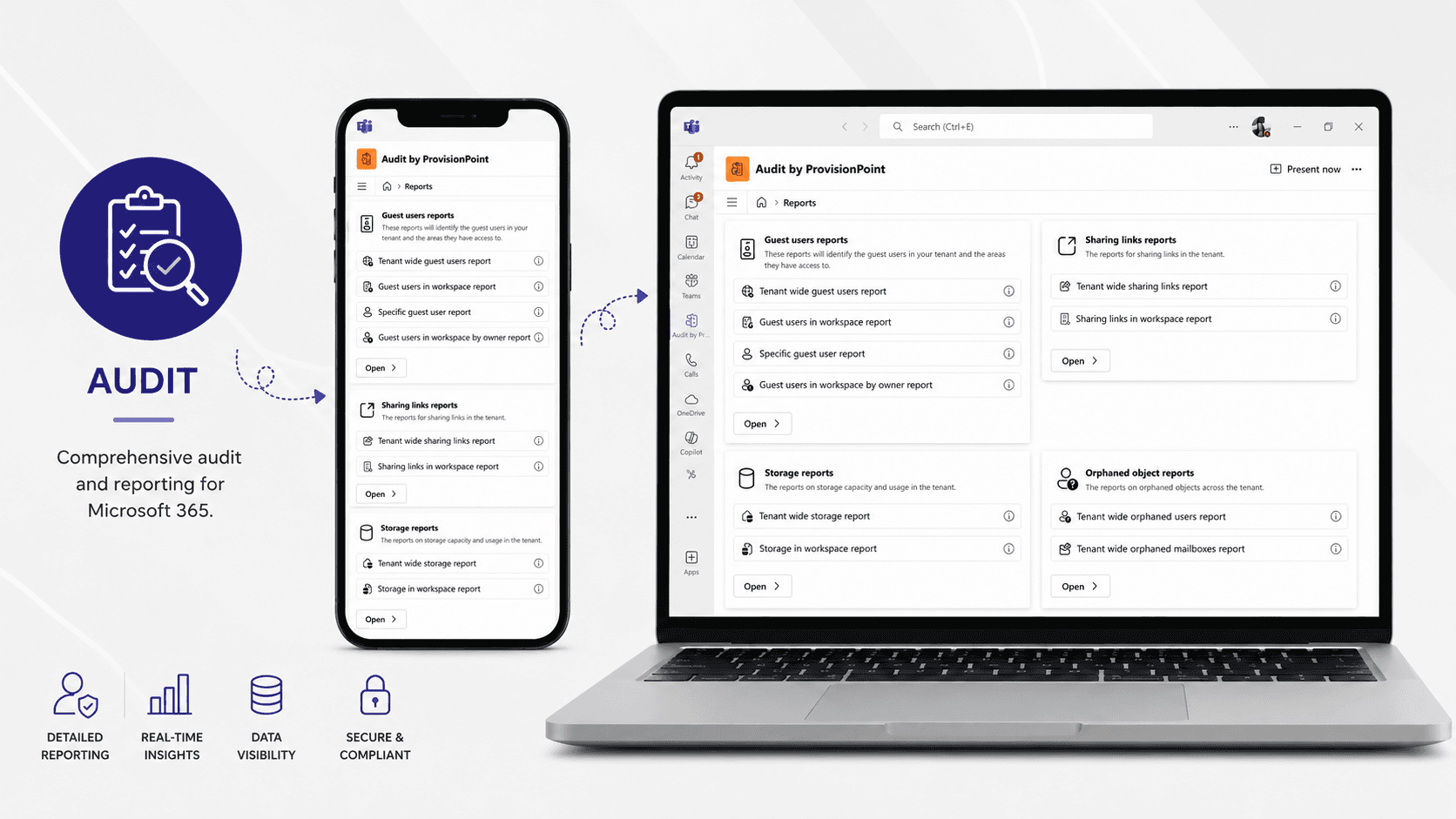
Microsoft 365 Audit, Security & Compliance Reporting
Gain complete visibility into activity, access and sharing across your Microsoft 365 environment.
SnapOn Software Audit helps IT, security and compliance teams monitor activity across SharePoint, Microsoft Teams, OneDrive and Exchange, quickly identify potential risks and simplify compliance reporting — all from one centralized solution.
Identify Microsoft 365 Security Risks Before They Become a Problem
Microsoft 365 makes collaboration easy — but as your environment grows, so does the challenge of understanding who has access to your data and how it's being shared.
Audit gives you the visibility to uncover potential security and compliance risks across your Microsoft 365 tenant. Track file access, modifications, sharing and permission changes to better understand what's happening across your digital workspace and take action when something doesn't look right.
Monitor Guest Users & External Sharing
Know exactly how information is being shared outside your organization.
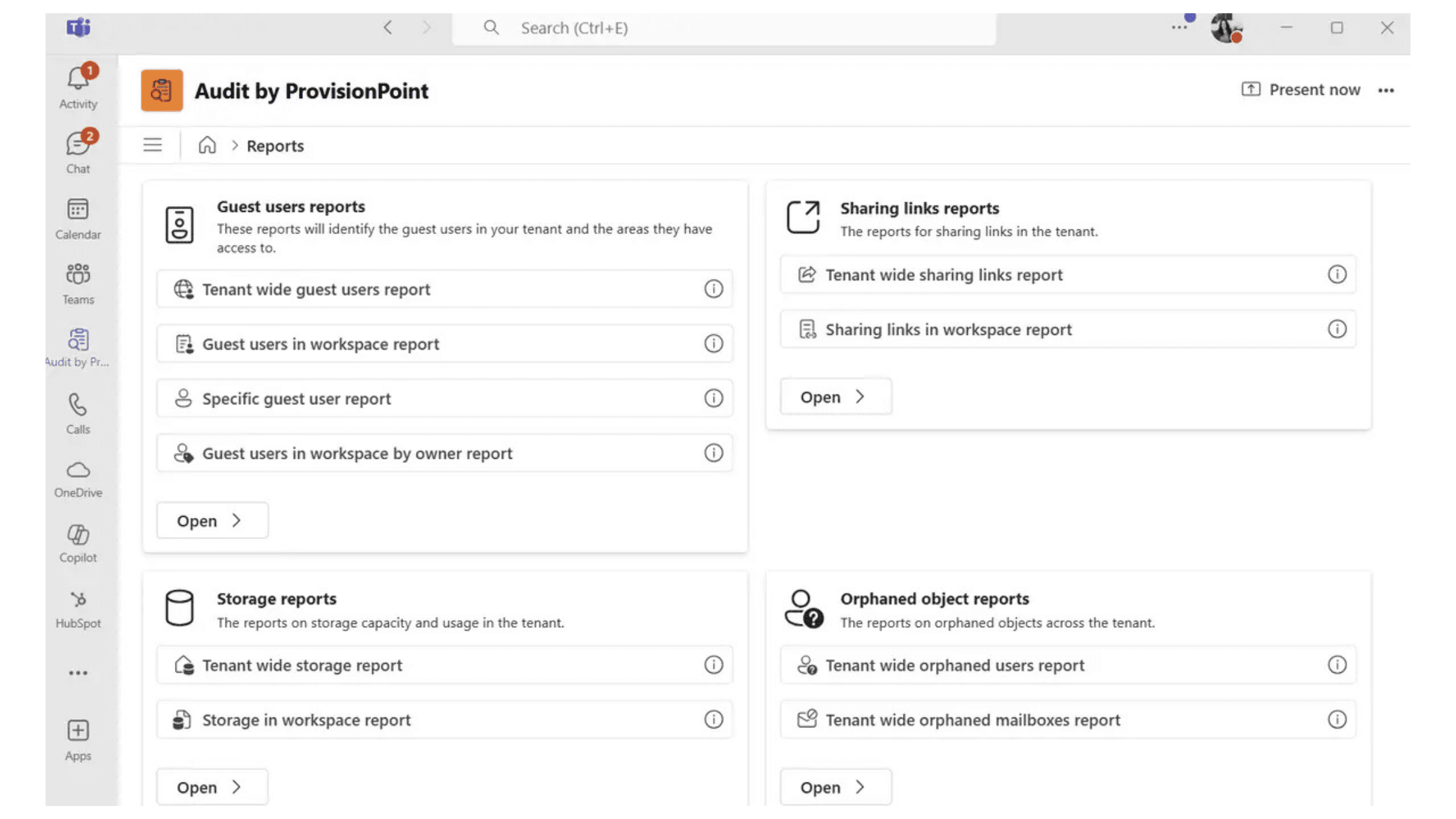
Identify which SharePoint sites and Microsoft Teams workspaces guest users can access, see every guest with access to a specific workspace, and get a tenant-wide view of external users.
Detailed sharing reports help you identify externally shared content across SharePoint, Teams and OneDrive — including the sharing link type, who content has been shared with and applicable expiration policies.
Simplify Microsoft 365 Auditing & Compliance Reporting
Turn complex Microsoft 365 activity into clear, actionable reports.
Monitor individual Sites and Teams or analyze activity across your entire Microsoft 365 tenant. Generate detailed reports to support security reviews and regulatory compliance, export results to Excel, and use automated alerts to surface important activity faster.
Audit helps security and compliance teams spend less time searching for information and more time acting on it.
Find Orphaned Users, Permissions & Access
Employees leave. Their access doesn't always disappear with them.
Audit helps identify orphaned users and mailboxes, including deleted Entra ID users who may still appear in SharePoint permissions or retain mailbox access.
Quickly uncover outdated access that would otherwise require administrators to manually review individual sites and recently deleted users — reducing unnecessary permissions and keeping your Microsoft 365 environment cleaner and more secure.
Understand the Health of Your Microsoft 365 Tenant
Bring security, compliance and Microsoft 365 activity into one centralized view.
Access Audit directly through Microsoft Teams, review storage across SharePoint, Teams and OneDrive, monitor user activity and investigate potential risks without piecing together information from multiple tools.
Get the visibility your organization needs to reduce risk, strengthen Microsoft 365 governance and respond to compliance requirements with confidence.
Ready to see what's happening across your Microsoft 365 environment?
Quick Facts
- Monitor activity across SharePoint, Teams, OneDrive, and Exchange
- Track file access, modifications, sharing, and permissions changes
- Generate compliance reports for GDPR, HIPAA, and other regulations
- Maintain detailed audit logs with customizable retention periods
Related Products
Ready to Enhance Your Security Monitoring?
Experience the benefits of comprehensive activity auditing across your Microsoft 365 environment.