Beyond Generic Forms: How Industry-Specific Templates Transform Business Data Collection

Business IT leaders face a common challenge: collecting structured data from employees, customers, and partners without building custom applications or relying on limited tools like Microsoft Forms. SOS Intake from SnapOn Software addresses this with purpose-built templates that connect directly to Microsoft 365 and Salesforce, offering capabilities that generic form builders simply cannot match. This series explores five industry-specific templates that demonstrate how ready-made solutions can accelerate deployment while maintaining enterprise-grade functionality.
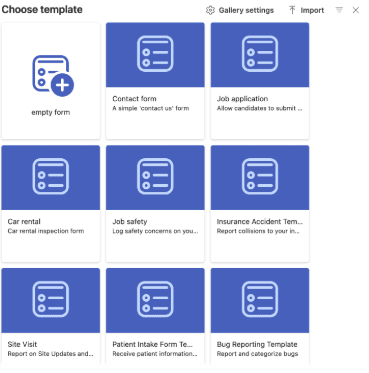
Workplace safety reporting has traditionally suffered from a fundamental disconnect between where incidents occur and where they get documented. Workers discover hazards in the field but must wait until they return to an office to complete paperwork, by which time critical details fade and urgency diminishes. Generic form tools like Microsoft Forms offer basic data collection but lack the specialized capabilities that safety reporting demands, particularly visual documentation with annotation tools and intelligent routing based on severity levels. According to Microsoft's Work Trend Index, 82% of frontline workers now use mobile devices as their primary work tool, yet many organizations still rely on paper-based safety processes that create delays and data quality issues.
The Job Safety Template addresses these challenges through a mobile-optimized design that captures everything safety managers need to assess and respond to workplace hazards. The template includes structured fields for Job ID to link incidents directly to specific projects or work orders, Severity Level categorization for proper prioritization, Location details to pinpoint exactly where hazards exist, and comprehensive incident descriptions. What distinguishes this template from generic alternatives is the canvas markup control, which allows workers to upload photos directly from their mobile device and annotate images with arrows, circles, and text to highlight specific hazards. This visual context proves invaluable when a worker spots something like exposed electrical wiring or unstable scaffolding, where words alone cannot adequately convey the risk. The template also supports multiple file attachments, enabling workers to provide comprehensive evidence through additional photos, videos, or related documentation.
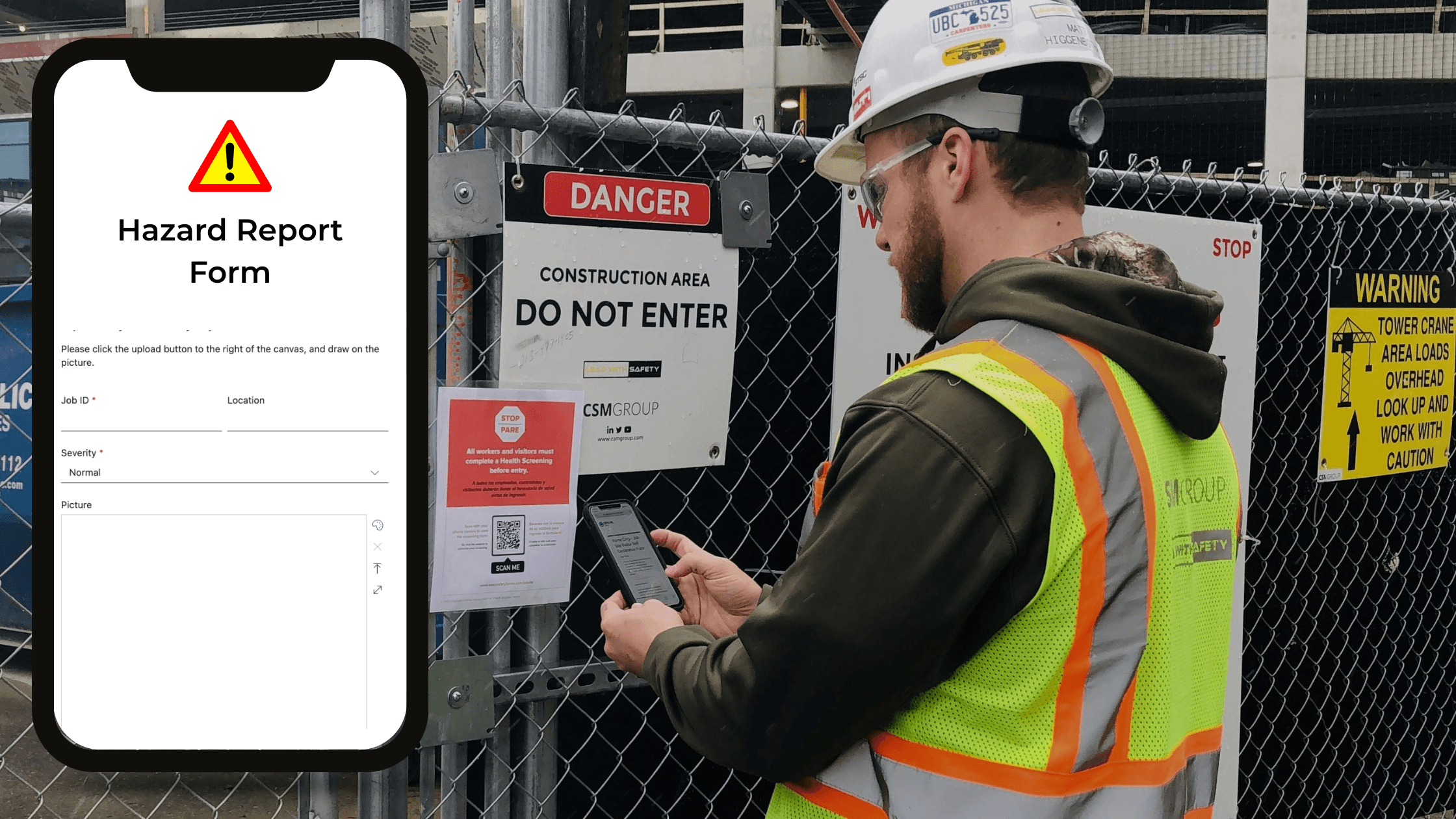
SOS Intake's platform capabilities enhance the template's effectiveness through features that generic form builders cannot match. The solution offers true anonymous access, meaning workers can submit safety reports instantly from any device without authentication barriers that slow down reporting. QR code generation allows organizations to place scannable codes at job site entrances, equipment stations, or safety boards, enabling workers to scan and report in seconds. Unlike Microsoft Forms, which lacks robust geolocation capabilities, SOS Intake supports geographic location selection, allowing organizations to track safety incidents across multiple sites with precision. The platform also includes multilingual form support, addressing the reality that many construction and manufacturing workforces are multilingual. Forms can be configured to display in the worker's preferred language, removing communication barriers that might otherwise prevent incident reporting.
Direct integration with business systems transforms safety data from isolated form submissions into actionable workflows. When connected to Microsoft 365, safety reports flow directly into SharePoint lists with automated routing to safety managers via Teams notifications, or trigger Power Automate workflows for escalation based on severity. For organizations using Salesforce, reports create Case records automatically with proper categorization and assignment rules. This integration eliminates the manual data re-entry that plagues paper-based or disconnected digital systems, ensuring that every safety report immediately enters your system of record. For IT leaders managing enterprise deployments, the template can be customized with organization-specific job site locations, severity classifications, and approval workflows, then deployed across hundreds or thousands of workers without requiring development resources. Most organizations deploy their first safety reporting form within an hour, a stark contrast to the weeks or months required for custom application development.
About the Author
Peter Baddeley
Director, Sales and Client Solution