SOS Sync
Seamlessly Sync Your NetSuite and Microsoft Environments
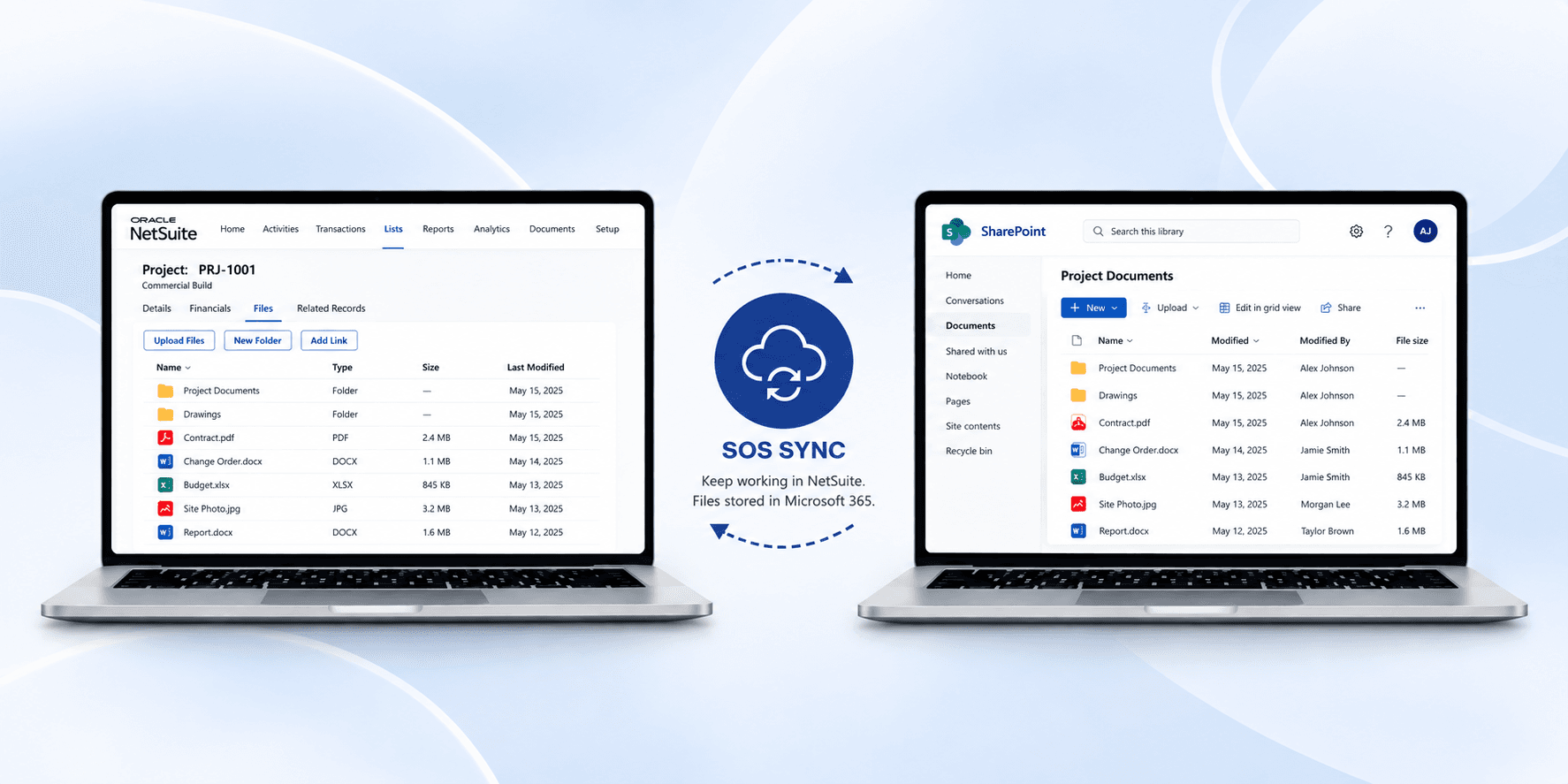
SOS Sync is a NetSuite-to-Microsoft 365 file synchronization solution from SnapOn Software that redirects your NetSuite file storage into SharePoint and OneDrive — the storage you already own. Installed as a one-time NetSuite bundle setup, SOS Sync gives every NetSuite user seamless file access through the interface they already know, while eliminating the duplicate storage costs of NetSuite's expensive file cabinet.
- Cut NetSuite storage costs — move files off NetSuite's native file cabinet and onto your existing Microsoft 365 subscription
- Manage files without leaving NetSuite — upload, view, download, and organize files on any record type: customers, contacts, projects, sales campaigns, and more
- Support large files — upload up to 250GB per file vs. NetSuite's ~10MB native cap, built for file-heavy industries like construction and manufacturing
- Full audit trail — every file in SharePoint carries NetSuite user metadata (account ID, user ID, username) plus complete version history
- Bidirectional, real-time sync — files added in SharePoint appear instantly in NetSuite, with zero sync delay
SOS Sync embeds directly into NetSuite's native files tab — no retraining, no workflow disruption, no extra permissions. It inherits NetSuite's entity-level access automatically: if a user can view the record, they can access its files.
- Zero duplicate storage costs
- Zero additional training
- Full compliance-ready audit metadata
- Roadmap: Teams notifications, file-level permissions, check-in/check-out, and full Microsoft 365 collaboration
Ideal for: NetSuite Admins, IT & Finance Operations, Microsoft 365 Admins looking to eliminate redundant storage spend.
Quick Facts
- Bi-directional sync between NetSuite and Microsoft 365
- Reduces storage costs by using Microsoft 365 for file storage
- Works on both desktop and mobile platforms
Ready to integrate your NetSuite and Microsoft environments?
Connect with our team to see how our connector can streamline your workflows.